Balancing your schedule and your creative work just got a whole lot easier. By connecting Google Calendar directly to Euryka Threads, you can stop juggling tabs and manage your entire day from where your work actually happens. It's a simple integration that makes scheduling, preparing for meetings, and making changes feel completely effortless.
Step-by-Step Guide
- Connect Your Calendar: Navigate to your Threads settings and follow the prompts to connect your Google Calendar.
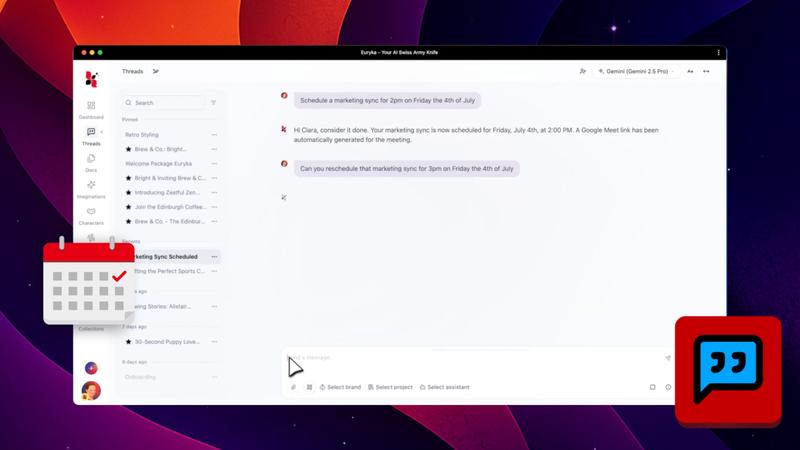
- Schedule with Natural Language: Once linked, just ask Euryka to find available meeting slots or schedule project reviews for you.
- Get Instant Briefings: Prepare for your day by asking for a summary of upcoming meetings or even a detailed dossier on attendees.
- Reschedule on the Fly: Need to move things around? Simply type your specific request in your thread to reschedule meetings without missing a beat.
This small step in connectivity offers a big leap for productivity. By keeping your calendar in the same place as your conversations, you can stay in your flow and focused without juggling applications.