Compose original music tailored to your specific needs by simply describing it. This guide shows you how to use text prompts in Euryka Imaginations to generate custom tracks for any project, from corporate videos to creative presentations, in just a few moments.
Step-by-Step Guide
- Access Audio Creation: Click the plus icon and navigate to the
Audiooption. - Describe Your Music: In the prompt field, describe the exact piece of music you want to create. Be specific for optimal results.
- Enhance Your Prompt: Use the
Auto-Suggestfeature to generate a more detailed and effective prompt automatically. - Generate Your Track: Imaginations will compose an original piece of music based on your enhanced description.
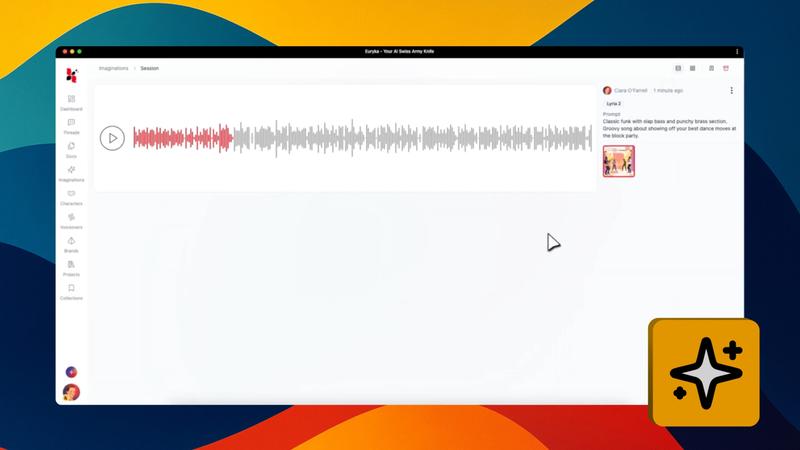
- Preview Your Music: Listen to the newly composed track directly within the interface.
Creating custom music for your projects is now faster than ever. Bring your musical ideas to life with a simple description and get the perfect soundtrack in minutes.